

Download transcript from any YouTube video in one click
Save time on long YouTube videos, get transcripts instantly with Eightify


How to download YouTube video transcripts with Eightify
Step 1: Install Eightify Chrome Extension
It's your shortcut to nabbing transcripts from any YouTube video with a simple click.
Step 1: Install Eightify app from App Store
It's your shortcut to nabbing subtitles from any YouTube video with a simple tap.
Step 2: Click the Summarize button on any YouTube video
Eightify will get to work and give you key insights and a transcript you're after.
Step 2: Share YouTube video to Eightify app
Alternatively, you can copy the YouTube link and paste it in the app
Step 3: Choose the Transcript tab
Switch between key insights, a timestamped summary and a full transcript.
Step 4: Download or share the transcript
Just copy key points and a transcript or turn them into a shareable article in one click.
Eightify: Smart transcripts and powerful insights combined
Video to Text
Access transcriptions that outperform YouTube subtitles
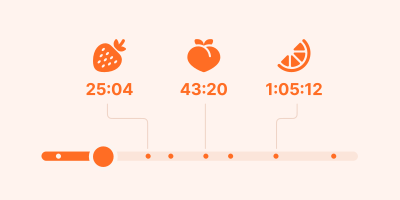
Smart Navigation
Jump to specific topics with timestamped summaries
Key Insights
Customize length, format, and focus
User-Friendly Interface
No prompting or tab switching: get a transcript in just one click
User-Friendly Interface
No prompting or tab switching: just paste a link and get a transcript
Multilingual Support
Get transcripts and translations in 40+ languages
Easy Sharing
Turn transcripts and summaries into shareable articles in one click
Turn any YouTube video into precise transcript. Just in one click with Eightify
See why users love Eightify transcript downloader

Him J
I LOVE this tool. I use it everyday to take notes for audiobooks and lectures and it saves me a LOT of time.

RAMARAO YESAPOGU
Excellent very useful

Ismail A Moola
I have used this software for about 18 Months. It's helped me enormously to make notes and have a quick recap of the videos I am interested in.

Matthew Ebisu
An absolute must have for any college student. Has literally saved me on a number of assignment and papers

Laith Abood
Great summaries and finding the key points of long videos.

Aparajita Verma
Excellent. I have been using it for 8 months now. Apart from English, it is able to summarize videos in Hindi as well, which is quite helpful.

David
A must have. Having been using this for a while and it saves me a lot of time when watching videos on Youtube.

Eric Shipe
Use it all the time, works great. Recommend it

Ayush Kanodia
I love the hierarchical summaries. They help me pick and read the content I want. Thanks Eightify

Ninth Cloud
One of the greatest tools I've invested in! It saves time and gets right to the steak and potatoes of each video I want to make a meal of.

Den K
Very responsive developer who takes feedback seriously. For most videos, it works quite well, with the obvious exception of music videos or content that heavily relies on visuals (what's the point of summarizing them anyway)

Бафф Маска
I didn't want to get this app at first because I don't like subscriptions, but I decided to give it a try. I used the trial and got used to it so much that I actually ended up getting the subscription. And I have no regrets, best decision to save time

Carlos Adolfo T. Duarte
Up to now, I have no complaints. It provides a good composition of full transcription, time stamp and key insights that may be very useful. I still need to check it with other languages.

Aneesh
Great
Frequently asked questions
What is the difference between transcription and captioning?
Transcription involves converting audio to text, creating a YouTube video transcript. Captioning adds time-synced subtitles to the video. Eightify's transcription service provides both options, allowing you to transcribe YouTube video content and view it with timestamps.
What is CC on YouTube?
CC stands for Closed Captions on YouTube. It's similar to a YouTube video transcript, but displayed as subtitles over the video.
How to find a transcript on YouTube?
Use Eightify to easily generate and download YouTube transcript content with just one button click.
Is YouTube transcript free?
While YouTube's built-in transcript feature is free, it's not available for all videos. With Eightify, you can transcribe any YouTube video and access high-quality transcripts, key insights and timestamped summaries in seconds.
Can I download YouTube transcripts in other languages?
Yes, Eightify supports 40+ languages for transcribing YouTube video content.
Can I use Eightify on mobile?
Yes, you can use Eightify on Chrome, Android and iOS. This allows you to generate and download YouTube transcript content on your mobile device, ensuring you can access video transcripts wherever you go.