

How to get a transcript of a YouTube video
Get any YouTube video transcript instantly with Eightify, in one click


Meet the #1 most powerful AI YouTube transcript generator
Video to Text
Access transcripts that outperform YouTube subtitles
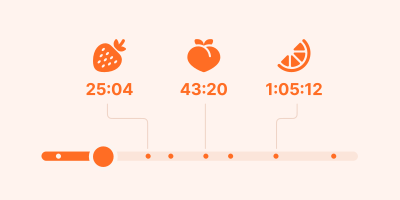
Smart Navigation
Jump to specific topics with timestamped summaries
Multilingual Support
Get transcripts and translations in 40+ languages
Key Insights
Get the main points from any video instantly

Easy Sharing
Turn transcripts and summaries into shareable articles in one click
User-Friendly Interface
No prompting or tab switching: get a transcript in just one click
User-Friendly Interface
No prompting or tab switching: just paste a link and get a transcript
Step-by-step guide on how to download YouTube video transcripts
Step 1: Install Eightify Chrome Extension
It's your shortcut to nabbing transcripts from any YouTube video with a simple click.
Step 1: Install Eightify app from App Store
It's your shortcut to nabbing subtitles from any YouTube video with a simple tap.
Step 2: Click the Summarize button on any YouTube video
Eightify will get to work and give you key insights and a transcript you're after.
Step 2: Share YouTube video to Eightify app
Alternatively, you can copy the YouTube link and paste it in the app
Step 3: Choose the Transcript tab
Switch between key insights, a timestamped summary and a full transcript.
Step 4: Download or share the transcript
Just copy key points and a transcript or turn them into a shareable article in one click.
Forget complex transcription services. Get video transcripts instantly with Eightify
Eightify Transcript Generator: Trusted by 500,000+ users worldwide

ali kayed
Amazing, made it so easy to summarize informative Podcasts for reading and memorizing

Indeevar Avnoor
Saves a lot of time. Nice App

Roman Novak
Excellent tool!

krlarsson109
It is very handy, work perfectly.

Reidmoto
I do so much research on so many AI topics and don't have time to watch a long YouTube video. I would much rather read the very well developed summaries that Eightify creates for me and save the video to Google Keep in case I do want to watch the whole video and screenshot high-value images.

Zafar Kahn
Love how convenient it is!

Манько Дар'я
I've been searching for an extension like this for ages, and I'm absolutely thrilled with TLDR; for Youtube! It's a lifesaver for anyone who watches a lot of videos online. I can finally quickly get the gist of any video without having to sit through the entire thing.

Chris Chu
Eightify strikes a great balance between detail and summary. Compared to other AI YouTube summarizers, it saves me a great deal of time!

Margaret Buj
Really good tool and saves me so much time giving summaries of long videos that I am not that keen to watch in full but want to get the main insights.

Stanislaw Kujawa
Realy helpful tool! Saves A LOT of time.

san digitalia
Helps me figure out if video actually worth watching in entirety. I always screenshot the "Key Insights" when I share video link with friends and encourage them to watch. Super helpful tool.

Romain Bessuges-Meusy
Works really well, thanks

Marko Jug
Great extension. Wery useful, like it very much and use it all the time.

Guðjón Ó. Eiríksson
IT's great. Works perfect.
Frequently asked questions
How to download a YouTube transcript as text?
To download a YouTube transcript as text, use Eightify. Simply open the video, click our extension's button, and the transcript will be generated. You can then easily download the video transcript in various text formats.
Why do some YouTube videos not have transcripts?
Some videos may not have a visible "show transcript" option because the creator hasn't uploaded captions. However, Eightify can transcribe YouTube video content even when official transcripts aren't available, ensuring you can always access a YouTube video transcript.
How to convert a YouTube video to a Word document?
To convert a YouTube video to a Word document, first use Eightify to transcribe YouTube video content. Then, download the transcript and open it in Word. Our tool makes it easy to transform video content into editable text documents with just a few clicks.
What is the best transcript generator for YouTube?
Eightify stands out as a top transcript generator for YouTube. Our advanced AI technology provides accurate, fast transcriptions for any YouTube video. With features like one-click generation and multi-language support, Eightify offers a comprehensive solution for all your YouTube transcript needs.
Can I use Eightify on mobile?
Yes, you can use Eightify to transcribe YouTube video content on mobile devices. While our main tool is a browser extension, we also offer mobile solutions. This allows you to generate and download YouTube transcripts on the go, ensuring you have access to video transcripts wherever you are.