

Download YouTube Subtitles Instantly
Get any YouTube video subtitles with Eightify, in one click



Meet the #1 most powerful YouTube subtitle downloader
Accuracy
Access transcriptions that outperform YouTube subtitles
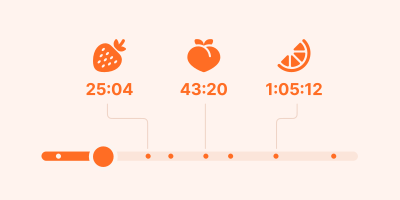
Smart Navigation
Jump to specific topics with timestamped summaries
Multilingual Support
Get transcripts and translations in 40+ languages
Key Insights
Get the main points from any video instantly
Easy Sharing
Turn transcripts and summaries into shareable articles in one click
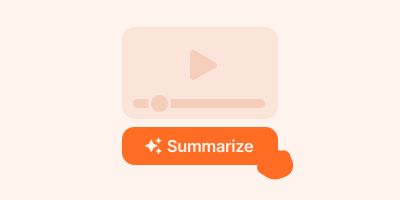
User-Friendly Interface
No prompting or tab switching: get subtitles in just one click
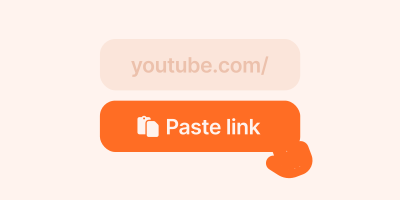
User-Friendly Interface
No prompting or tab switching: just paste a link and get subtitles
Step-by-step guide on how to download subtitles with Eightify
Step 1: Install the Eightify Chrome Extension
It's your shortcut to nabbing subtitles from any YouTube video with a simple click.
Step 1: Install Eightify app from App Store
It's your shortcut to nabbing subtitles from any YouTube video with a simple tap.
Step 2: Log in with your Google account
This lets you access Eightify seamlessly across unlimited devices.
Step 3: Open YouTube
With your account all set, go to YouTube and pick the video you want subtitles for. It could be anything from a how-to clip to the latest news.
Step 4: Click the Summarize button next to the video
Eightify will get to work and give you a neat summary and the subtitles you're after.
Step 4: Tap the Share button and choose Eightify
Alternatively, you can copy the YouTube link and paste it in the app
Step 5: Summary appear in right column above Related Videos
In the column on the right, you'll see concise text highlighting key video points.
Step 5: Summary appear after the video is processed
You'll see concise text highlighting key video points.
Step 6: Choose the Subtitles tab
Switch between key points, a timestamped summary and full subtitles.
Step 7: Copy and share video subtitles
Review, copy, or share your subtitles. Take them offline for on-the-go use.
Download subtitles from any YouTube video in seconds with Eightify
See why users love Eightify subtitle downloader

Larkland Morley
Love the tool. Able to get quick insights on long videos to help my learning journey

SCW
It does what it says and saves a truckload of time and is quite accurate.

Joshua Willis
Works well.

Смарт Той
Great app! I always use it when I do research for my business

Jennifer 777
great app!saved me a lot of time!

Brandon Grant
Highly recommend.

Walter Shepherd
I use all the time for quick summaries and insights and copy the transcript to work on in ChatGPT

Samy Ramos
Love this extension! Very helpful and time-saving.

Yuxian Shi
Helpful for youtube watching

Max Jones
Very useful tool!

Dan
Works very well in most situations. Highly recommended

Max Sushchuk
Accidentally paid for a yearly subscription, and there are actually several free tools doing the same. At the very least, you can download the srt subtitles into the free chatgpt-4 and ask for a summary. But being able to do that in a split second is actually a game-changer – here in Ukraine we have several experts commenting news several times a day, so it's very handy to get a quick overview of their thoughts instead of listening to them for 10-50 minutes.

Styler ADIL
Super
Frequently asked questions
What is a Youtube transcript?
A YouTube transcript is a text version of the spoken content in a video, including subtitles or captions. It's useful for understanding content without audio, improving accessibility, and making videos searchable.
What is the app that download subtitles from YouTube?
Eightify is a powerful YouTube subtitle downloader that allows you to easily download YouTube subtitles with just one click.
Can I use Eightify on mobile?
Yes, you can use Eightify to access subtitles for YouTube videos on mobile devices. While our main tool is a browser extension, we also have Android and iOS apps so you can download YouTube subtitles on the go.
Does Eightify work with non-English videos?
Our tool can handle YouTube videos in 40+ languages, making it a versatile solution for international content. Whether you need to download YouTube subtitles in Spanish, French, German, or many other languages, Eightify has you covered.